
 Chrome
 Edge
EdgeOne Stop Shop for Ad Blocking
Block ads across Browsers - without installing an extension for every browser or user profile.
AdBlocker One helps reduce ads and trackers across supported browsers and apps - no extensions, no single-profile setup.
One app helps protect your PC.
Page loading with ads & trackers...

Illustration of a typical page before and after using AdBlocker One.
Not affiliated with any third-party site
AdBlocker One seamlessly helps reduce tracking scripts, video ads, and banner ads on the web
Disclaimer: AdBlocker One is an independent software application and is not affiliated, associated, authorized, endorsed by, or in any way officially connected with any other 3rd party subsidiaries or affiliates
AdBlocker One runs as a single lightweight Windows app - protecting supported browsers and apps on your machine
Type a website into your address bar and choose to browse privately on the spot - no need to open an incognito window first. It works the same way across every supported browser.
Private suggestions - Help reduce tracking of what you type in the address bar.
Browse in Private - Quickly launch Incognito for websites on the go.
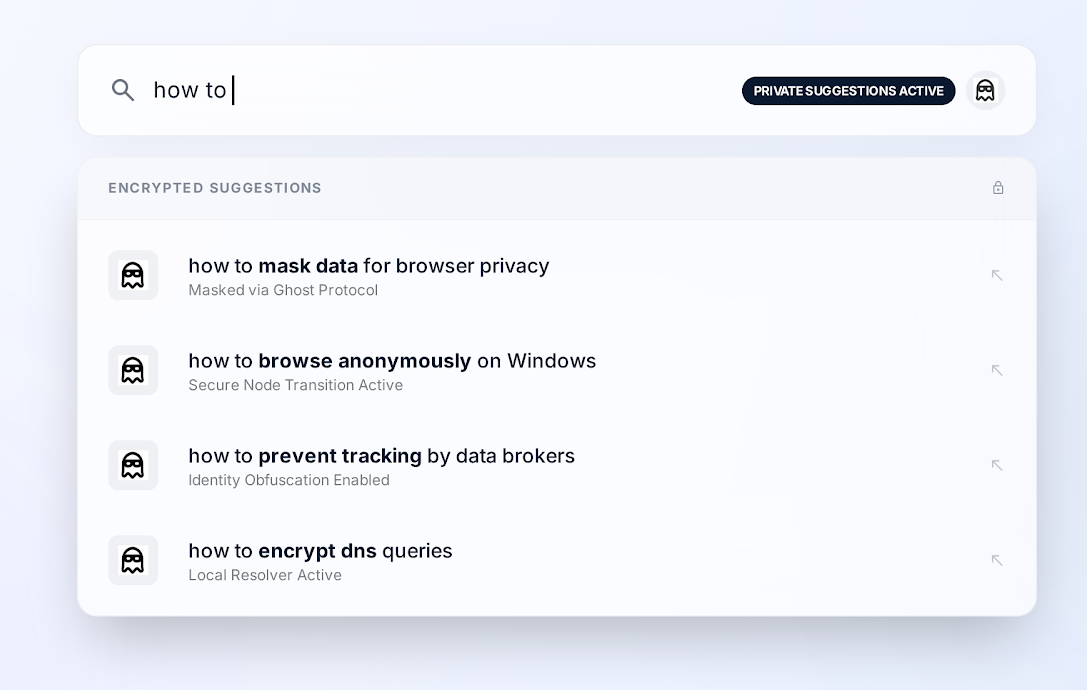
Advanced Protection may require enabling AdBlocker One Search in your protected browsing session. Setup is optional, can be completed manually, and can be changed later in your browser settings.
Block ads across Browsers - without installing an extension for every browser or user profile.
Helps reduce ads and trackers across supported browsers and apps.
Decide exactly which browser & user is ad-protected and tracking-protected.
Full control over every account.
Stop hidden trackers and fingerprinting scripts before they load, slashing page weight significantly.
AdBlocker One’s core protection runs locally on your device. Your app settings and protected profile settings are stored locally and do not leave your device. Full privacy details are available in our Privacy Policy.
AdBlocker One opens supported browsers and apps in protected mode, then applies updated protection rules locally to help reduce ads and trackers. You can manage protection, Always-Protect profiles, and Allowed Sites from the app’s dashboard.
See how a single Windows app outperforms your browser's built-in tools and other popular ad blockers
| Capability | AdBlocker | Other Adblockers |
|---|---|---|
| Blocks trackers & fingerprinting | ||
| Blocks ads across Browsers | ||
| Blocks ads within supported apps | ||
| User and Profile granular protection controls | ||
| Private Address Bar | ||
| Private Autocomplete Suggestions |
Install once and protect supported browsers, apps, and users on your PC in no-time.
Download AdBlocker One Download AdBlocker One